queens-with-friends
Queens With Friends ♛
Play, challenge, and learn with friends.
Queens With Friends is an open-source logic puzzle game. Unlike some versions where competitive leaderboards are tainted by less than honest practices, this platform is a transparent environment for enthusiasts to sharpen their minds, build their own challenges, and learn the logic behind every move. You can play here without being made to feel inferior, you can compete if you choose, you can do it your way.
🚀 Navigation
- 🏁 Quick Start
- 🎮 The Rules
- 🛠️ Customizing (Build Tab)
- ✉️ Sharing Challenges
- 💡 Learning Logic (Solve Tab)
- 🛠️ Technical Info
⚠️ Early Release Notice
This is the first public release of Queens With Friends. While it has been tested, you may encounter a few bugs as I continue to refine the logic engine and UI.
Found a bug or have a suggestion? I’d love to hear from you! Please connect with me and send a message on LinkedIn. Your feedback helps make this better for everyone!
🏁 Quick Start: I Just Want to Play!
Load via this link.
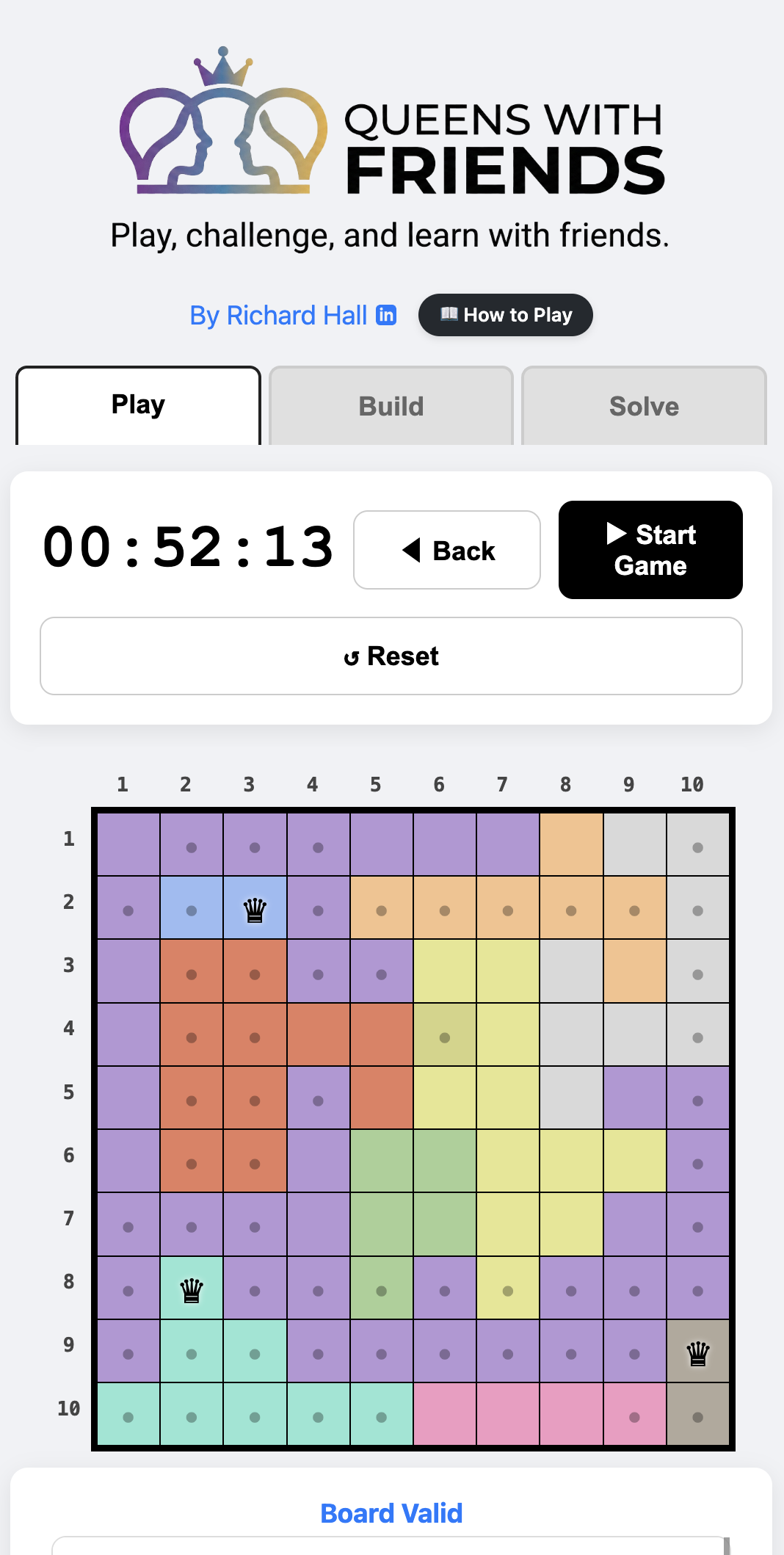
When you first load the game, a puzzle is already waiting for you on the Play tab.
- Start the Game: Press the “Start Game” button. A 3-2-1 countdown will begin.
- Marking Blocks (•): Touch a cell once to mark it as blocked. You can also swipe across several cells.
- Setting a Queen (♛): Double-tap a cell to place a queen.
- Removing Pieces: To unblock or remove a queen, simply touch it again.
- Tracking Progress: Moves are recorded in the activity log below the board.
⚠️ Important: If you leave the Play tab during a game, the board will reset. Finish your board before switching tabs!
🎮 The Rules
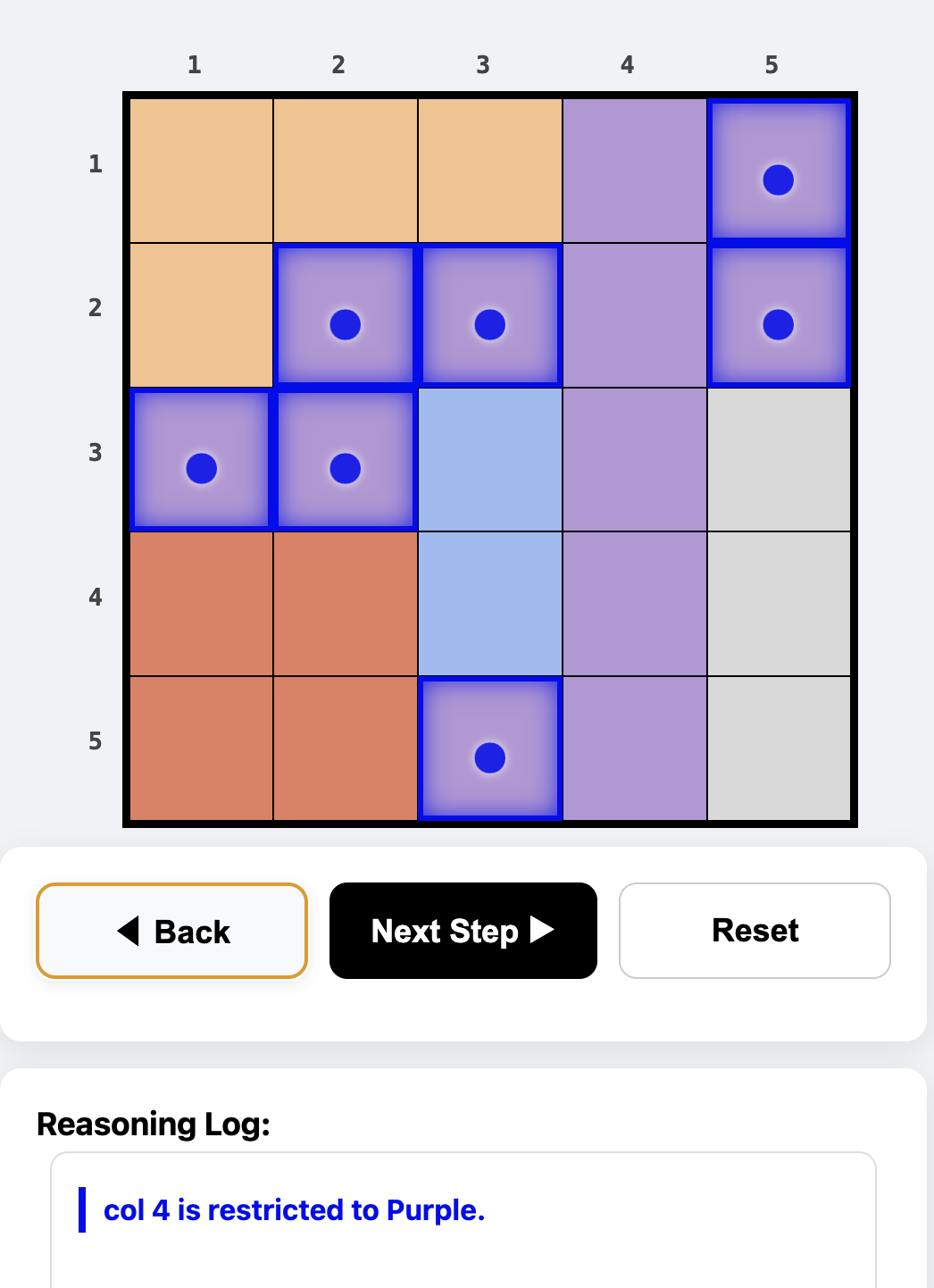
Place exactly one queen in every row, column, and color region. You must satisfy four constraints:
- Row: Exactly one queen per row.
- Column: Exactly one queen per column.
- Region: Exactly one queen per color-coded region.
- Adjacency: Queens cannot touch each other, not even diagonally.
🛠️ The Build Tab: Customize Your Challenge
The Build tab allows you to load pre-made boards, generate random puzzles, or architect your own.
1. Loading Pre-Made Levels
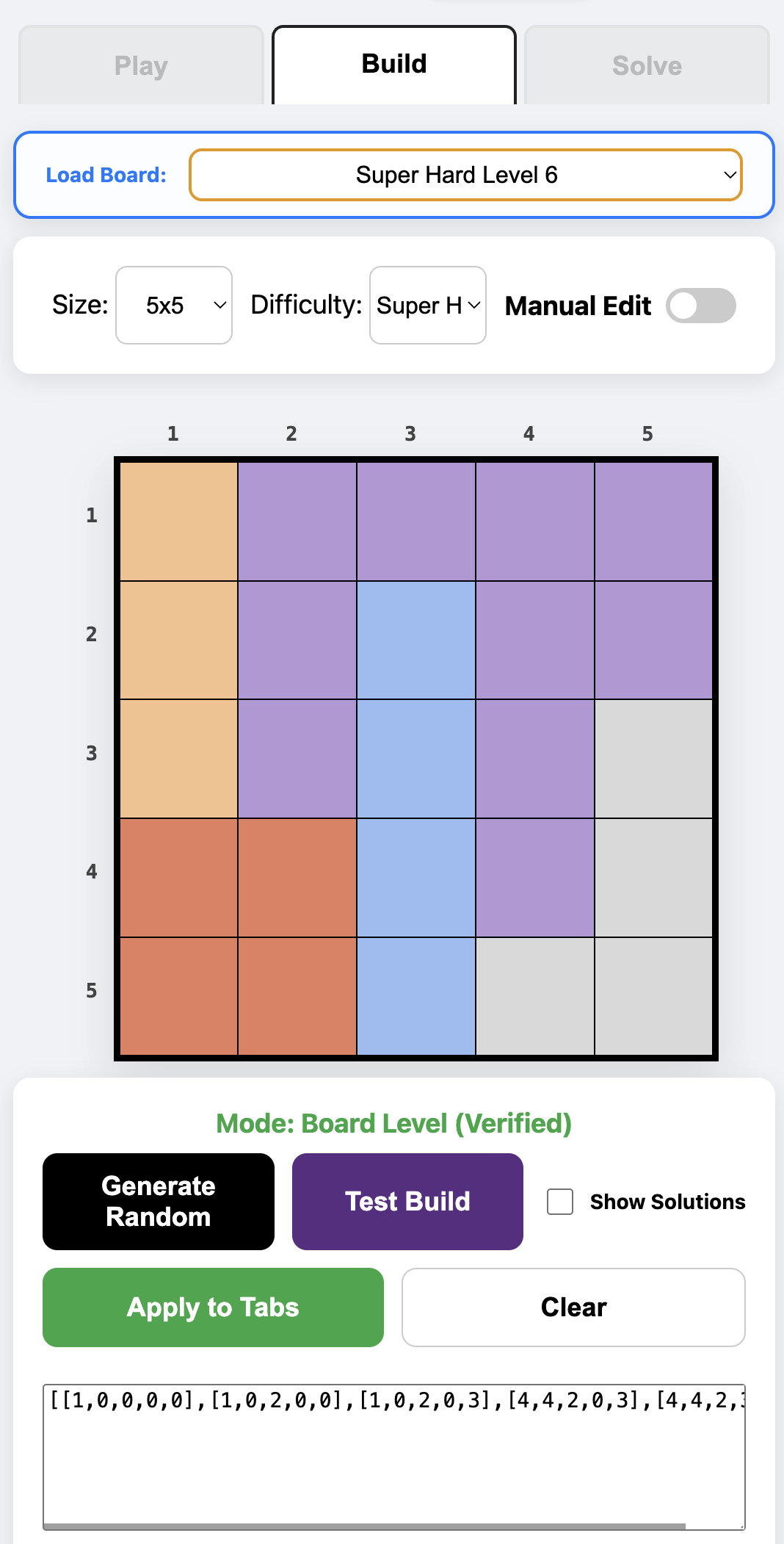
- Select your Size (5x5 to 10x10) and Difficulty.
- Choose a board from the Load Board dropdown.
- Click Apply to Tabs to send it to the Play and Solve tabs.
2. Generating Random Puzzles
- Select settings and click Generate Random.
- Note: 10x10 “Super Hard” boards are complex and may take a while to compute.
- Click Test Build to verify, then Apply to Tabs.
3. Manual Design (Painting Your Own)
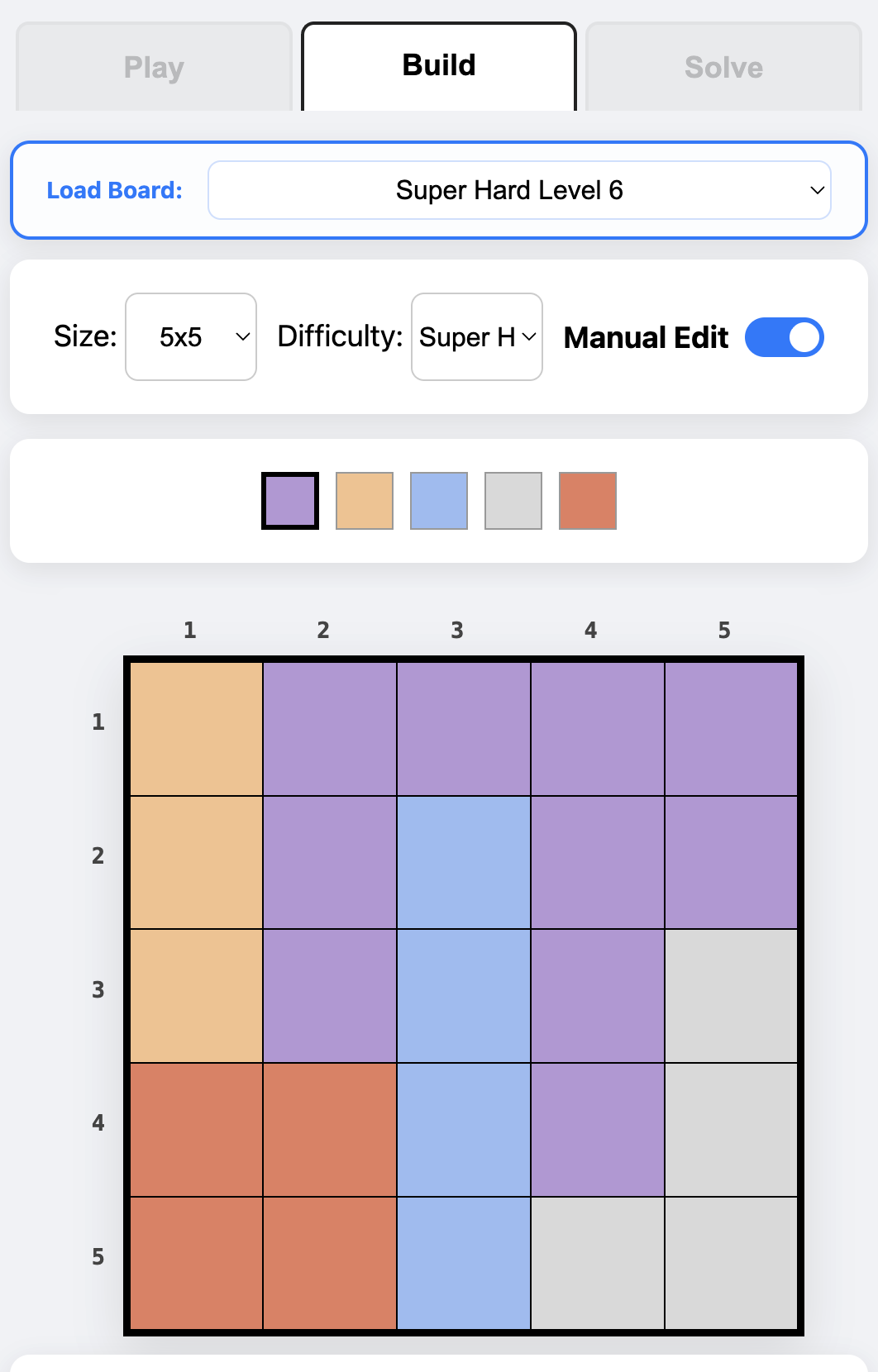
- Flip Manual Edit to see the color palette.
- Pick a color and tap cells to “paint” custom regions.
- Pro Tip: Tick “Show Solutions” before clicking Test Build to see exactly where queens can fit in your custom layout!
✉️ Sharing Challenges
Once you have a verified board, challenge your friends:
- The Share Button: On mobile, opens your sharing options. On desktop, copies a unique URL to your clipboard. The link contains the entire board as a parameter!
- Manual Text Import: Copy the code block (e.g.,
[[0,0...]]) and send it to a friend to paste into their own Build tab.
💡 The Solve Tab: Learn the Logic
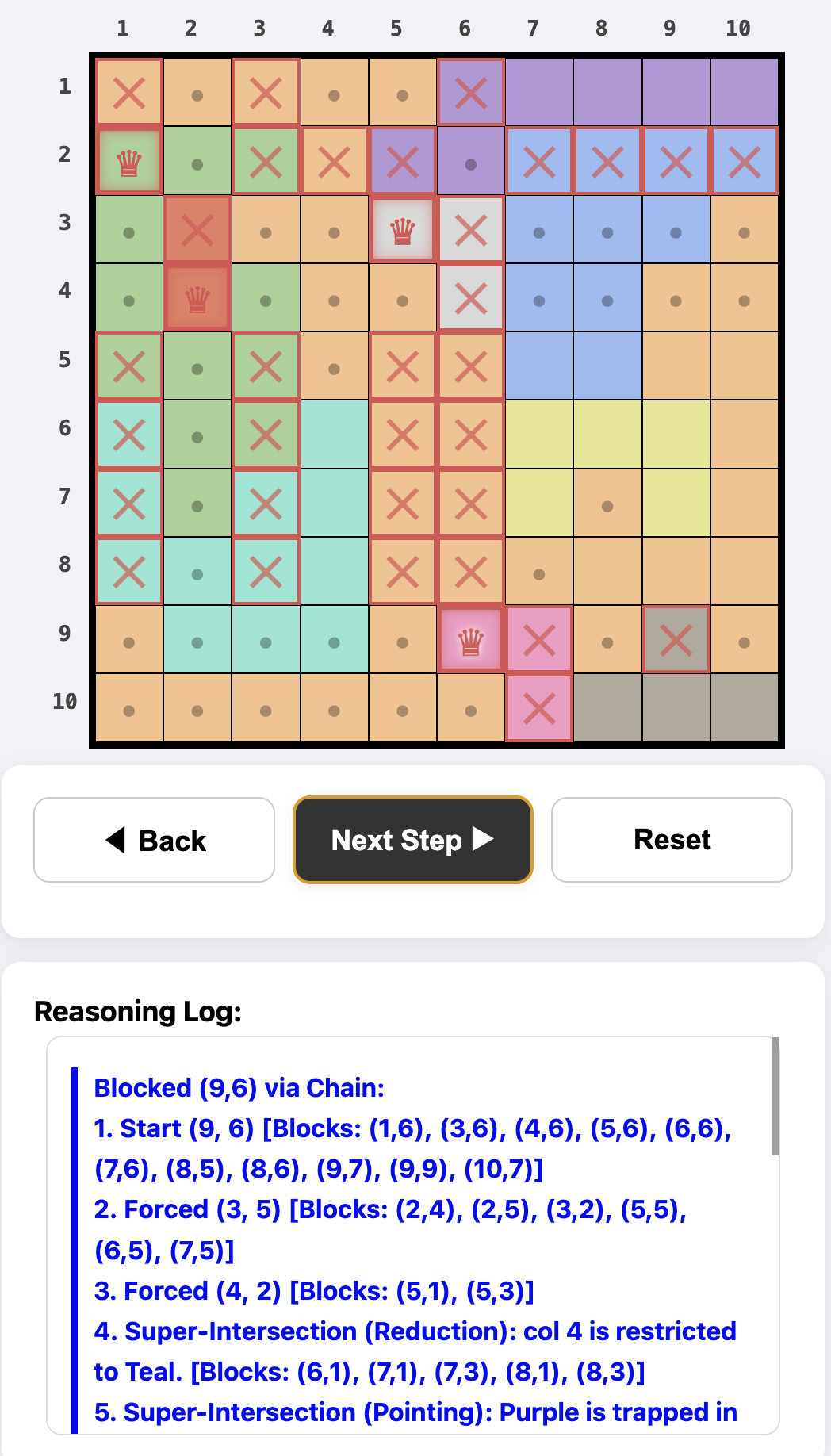
- Apply a board from the Build tab.
- Click Next Step to watch the engine solve it one move at a time.
- The Reasoning Log: Explains the “why” behind every move (e.g., Super-Intersections or Mutual Exclusion).
🛡️ The Mission
This project returns “Queens” to its roots:
- P2P Challenges: Competition happens via direct links.
- Educational Focus: The solver teaches you how to think.
- Creative Freedom: Architect and validate your own logic puzzles.
🛠️ Technical Implementation
- Greedy Snakes Algorithm: Custom procedural generator for organic region growth.
- Heuristic Deduction Engine: Multi-layered solver mimicking human logic.
- Zero-Server P2P: Board states stored in Base64 URL Encoding.
| Built by Richard Hall | MIT License |