a-knights-colour-tour-with-friends
A Knight’s Colour Tour With Friends ♞
A modern, colourful twist on a 1,000-year-old maths problem.
A Knight’s Colour Tour With Friends is an open-source, grid-based logic puzzle. By combining the classic movement of a chess Knight with colour based region constraints, this platform offers a transparent, serverless environment for puzzle enthusiasts to test their spatial reasoning, build their own unique challenges, and share them with friends and colleagues instantly.
🚀 Navigation
- 🏁 Quick Start
- 🎮 The Rules
- 🛠️ Customising (Build Tab)
- ✉️ Sharing Challenges
- 💡 The Solve Tab
- 🎯 Core Features
- 🛠️ Technical Info
⚠️ Early Release Notice
This is the first public release of the Knight’s Colour Tour engine. While it has been tested, you may find a few edge-case bugs.
Found a bug or have a suggestion? I’d love to hear from you! Please connect with me and send a message on LinkedIn. Your feedback helps make this better for everyone!
🏁 Quick Start: I Just Want to Play!
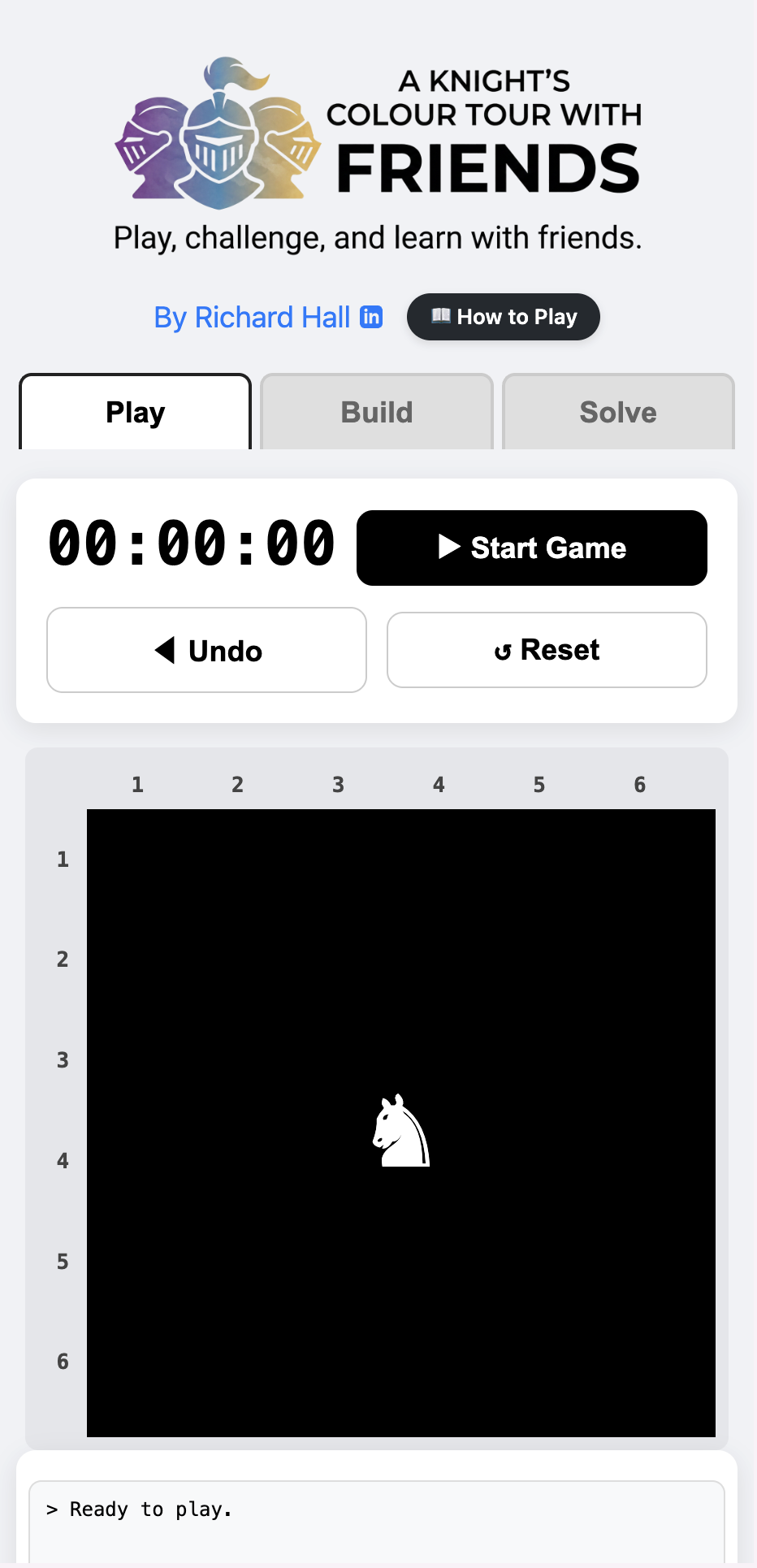
When you first load the game, a procedurally generated puzzle is already waiting for you on the Play tab.
- Start the Game: Press the “▶ Start Game” button. A 3-2-1 countdown will begin.
- Moving the Knight: Tap any valid cell that is an “L” shape away from your current position (the ♞ marker).
- Tracking Progress: The game automatically shades in regions you have already visited and logs your moves in the activity box.
- Making a Mistake: If you trap yourself, simply press ◀ Undo to walk back through your move history.
- Winning: The game completes when you successfully visit every colour on the board exactly once!
⚠️ Important: If you leave the Play tab during an active game, the board will reset. Finish your tour before switching tabs!
🎮 The Rules
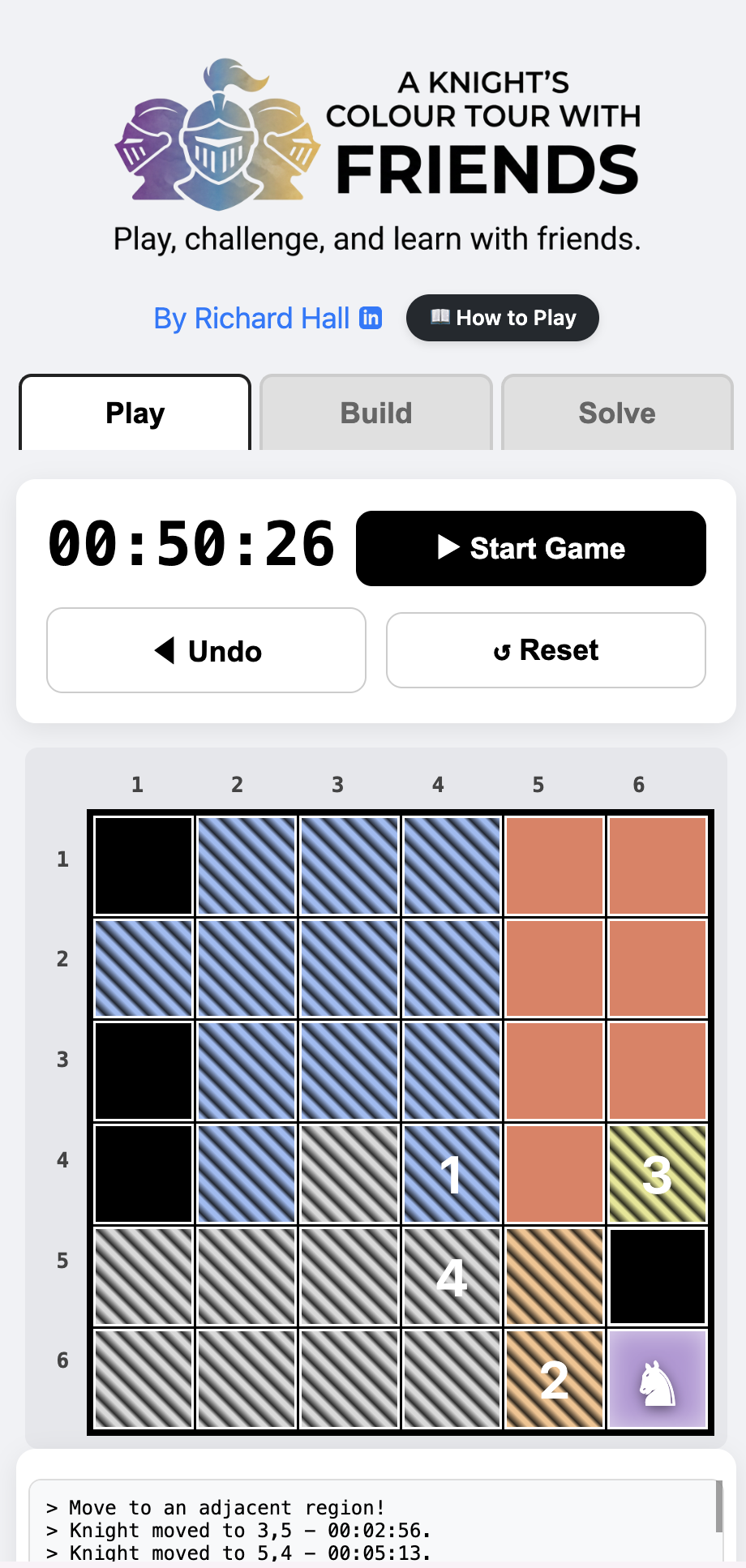
Your goal is to complete a modified Knight’s Tour. You must satisfy three simple constraints:
- Movement: You can only move in a standard chess Knight pattern (two squares in one direction, and one square perpendicular).
- Regions: You must land on every colour-coded region exactly once.
- No Backtracking: You cannot jump into a coloured region that you have already visited, and you cannot land on black “Void” spaces.
🛠️ The Build Tab: Customise Your Challenge
The Build tab is a fully-featured level editor. It allows you to generate random puzzles, manually plot paths, or paint your own custom grids using a seamless drag-to-paint touch interface.
1. Automatic Design (Procedural Generation)
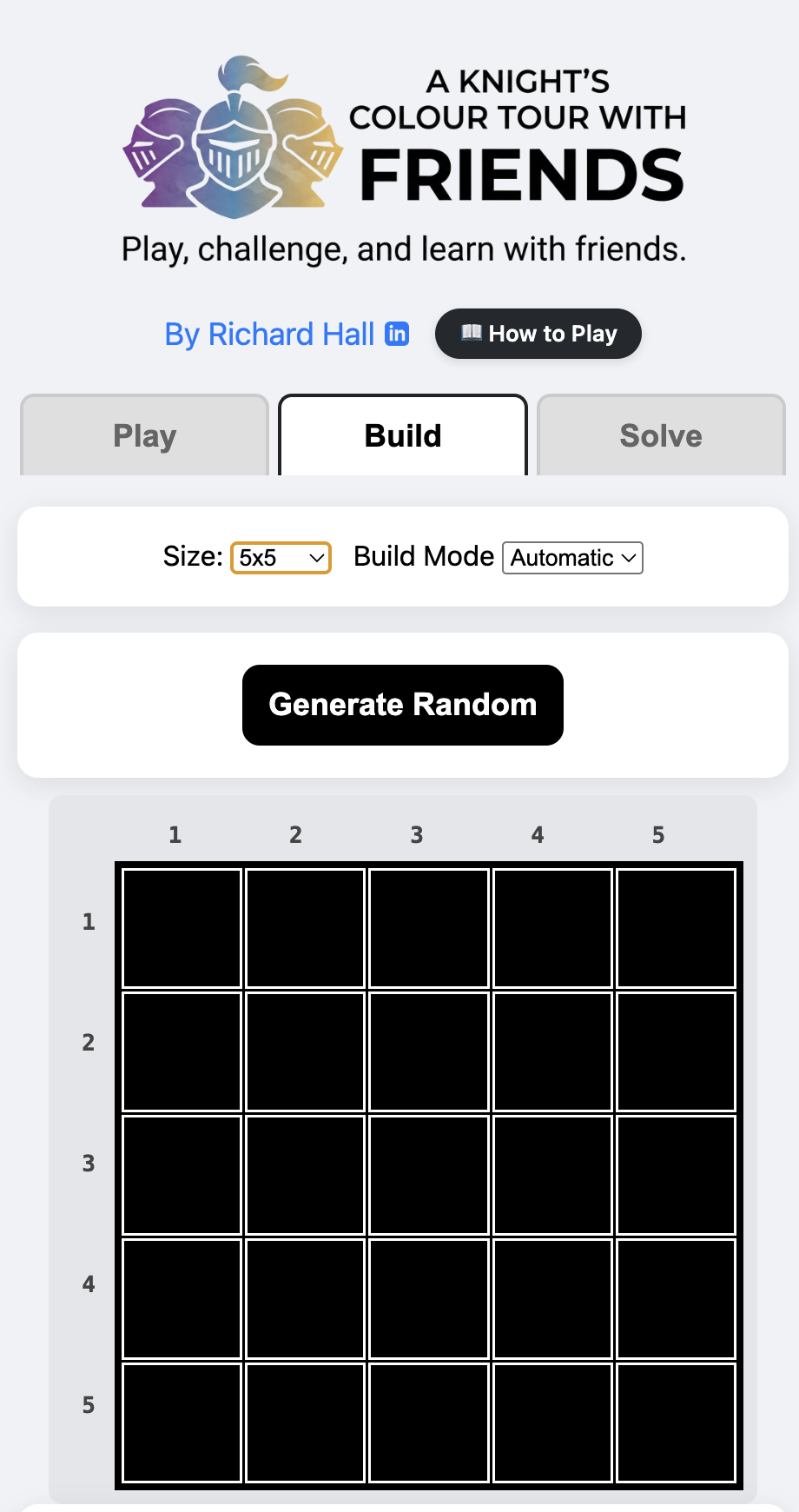
- Switch Build Mode to Automatic.
- Select your Size (5x5 to 10x10).
- Click Generate Random. The engine will mathematically guarantee a board with exactly one valid solution.
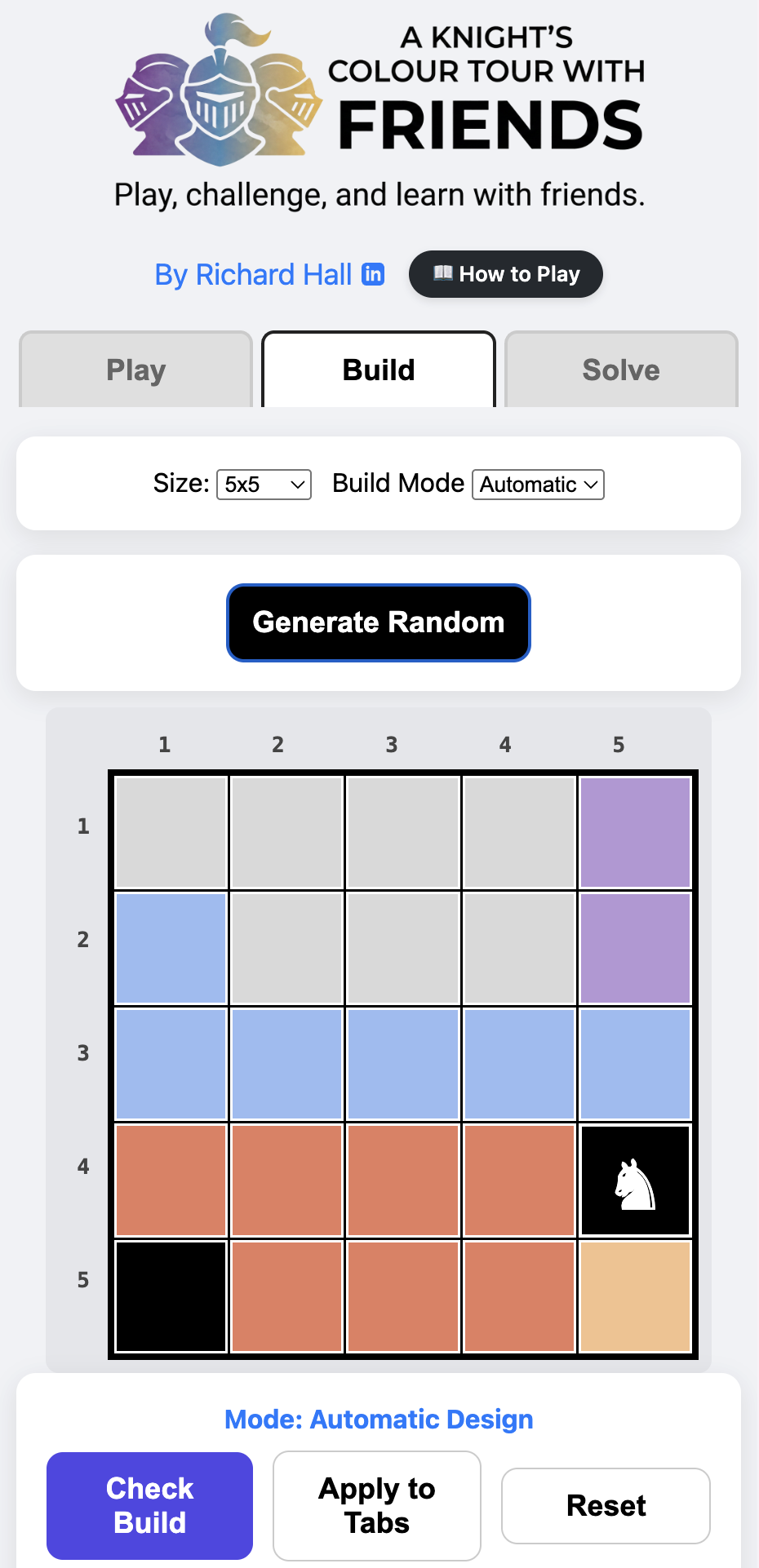
- Click Apply to Tabs to send it to the Play and Solve environments.
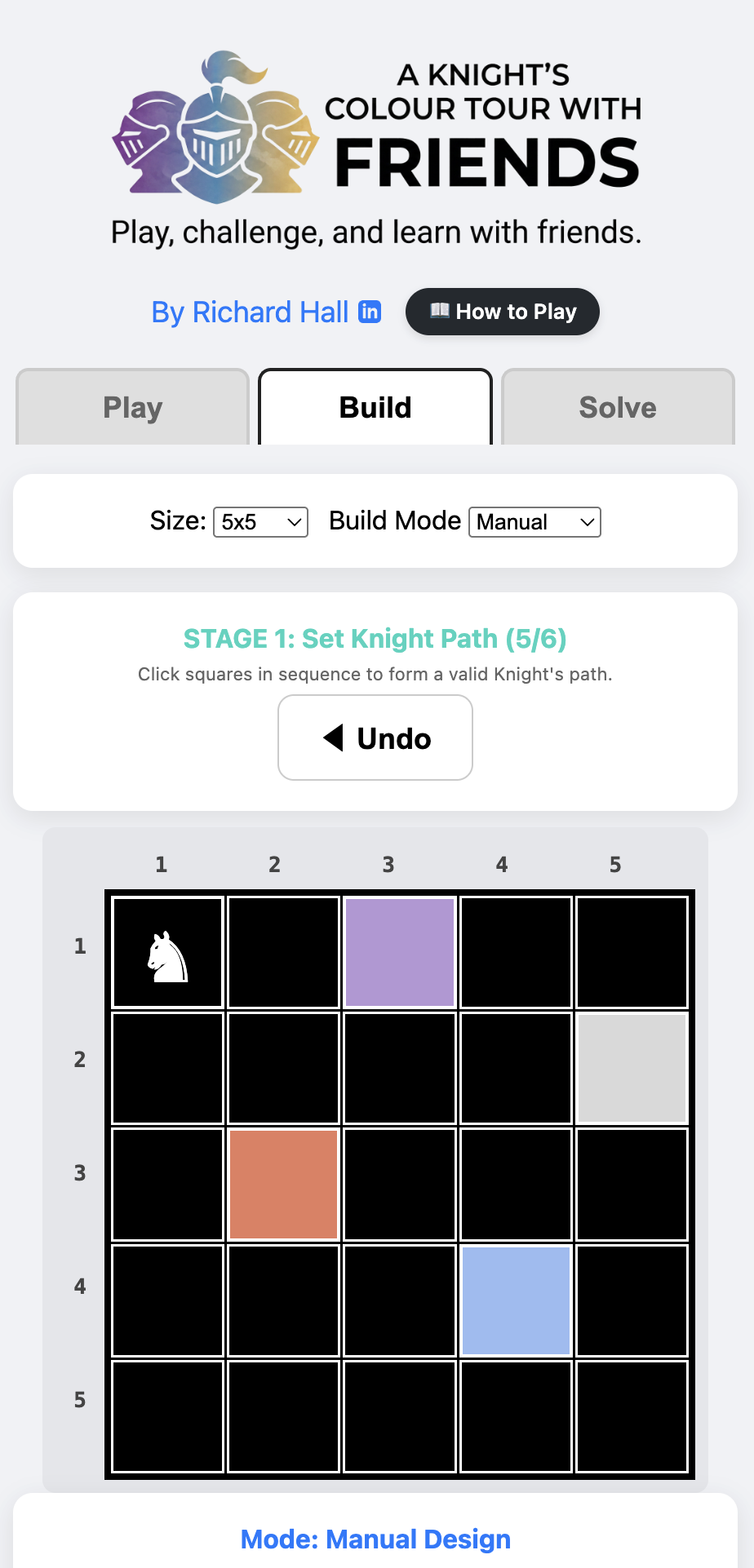
2. Manual Design (Plotting a Path)
- Switch Build Mode to Manual.
- Stage 1: Click squares in sequence to manually draw a hidden Knight’s path.
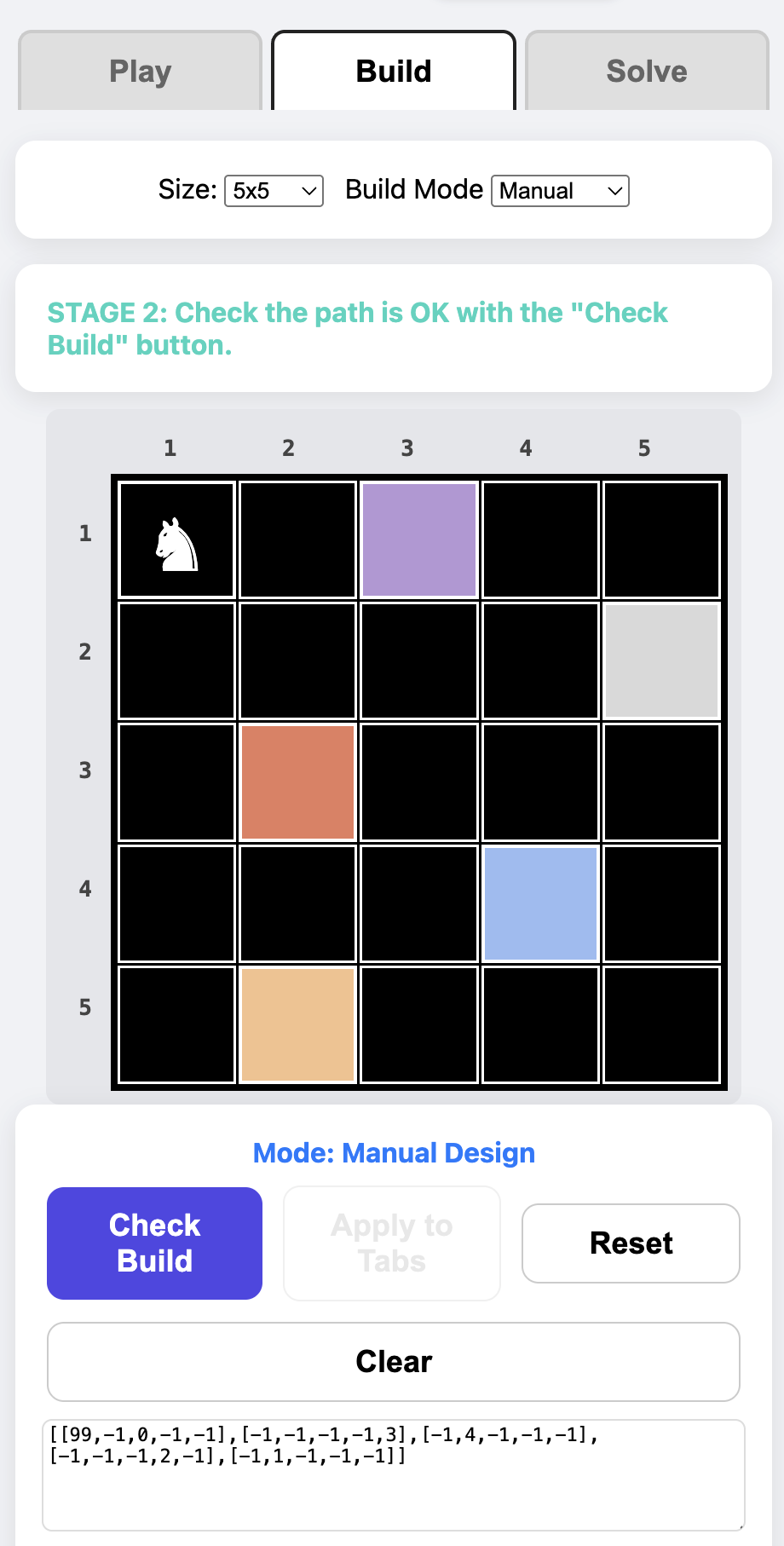
- Stage 2: Click Check Build. The engine will verify if your path is mathematically sound.
- Stage 3: Colour the rest of the board to hide your path.
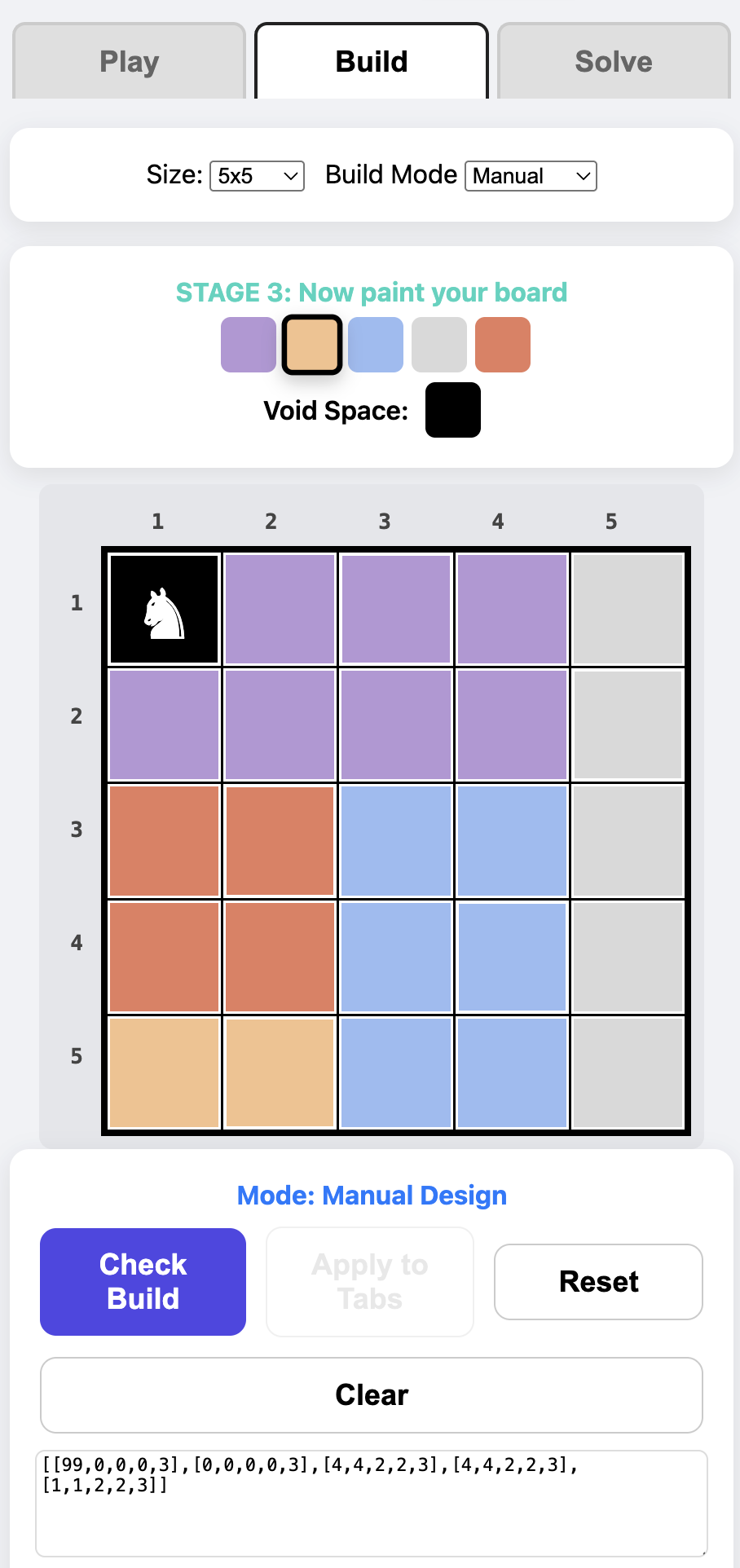
- Note: If your path allows for multiple different solutions, the UI will highlight “Ghost Paths” (red boxes) showing where the logic breaks. Change the colours of these squares or set them to void (black).
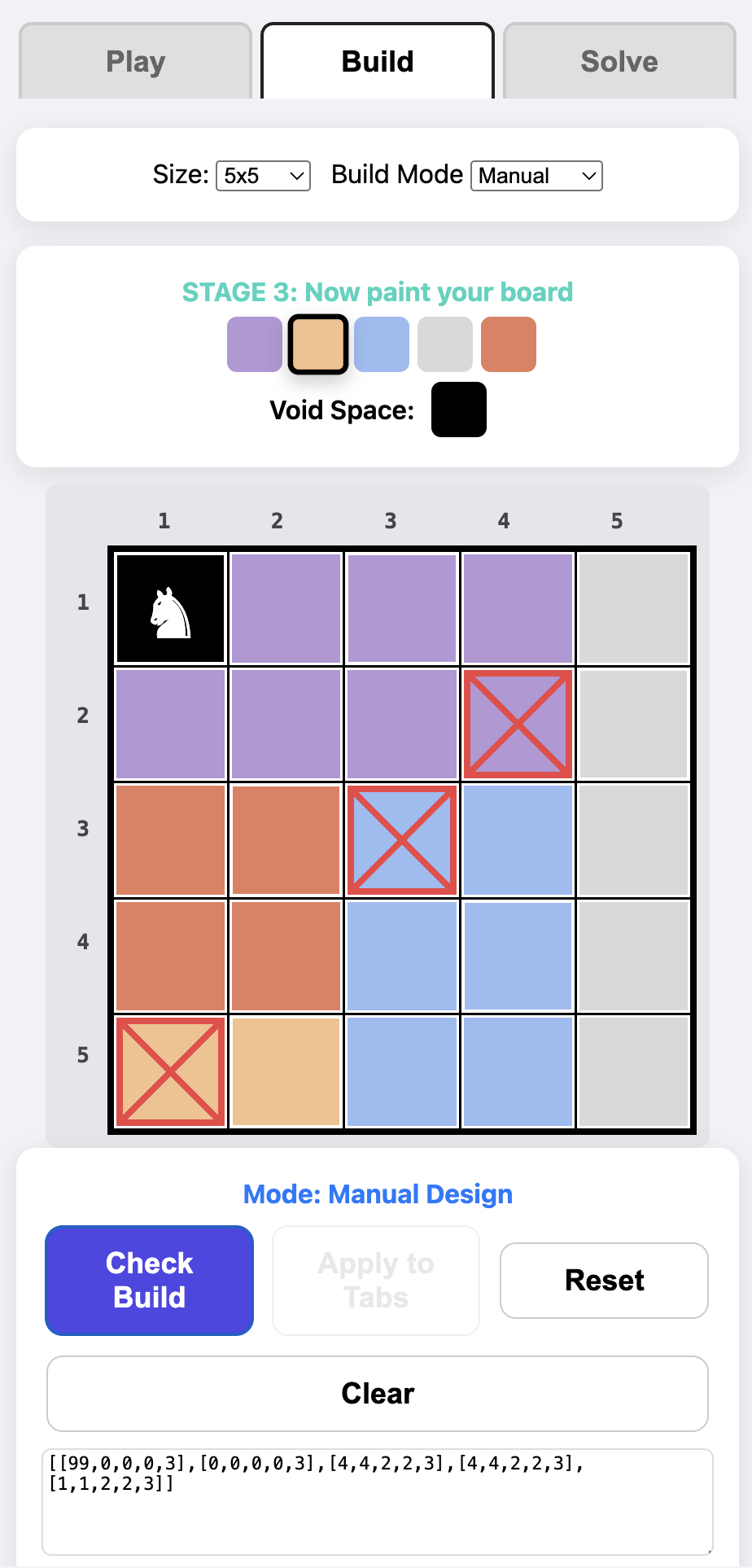
This can be an iterative process of changing and clicking on the Check Build button.
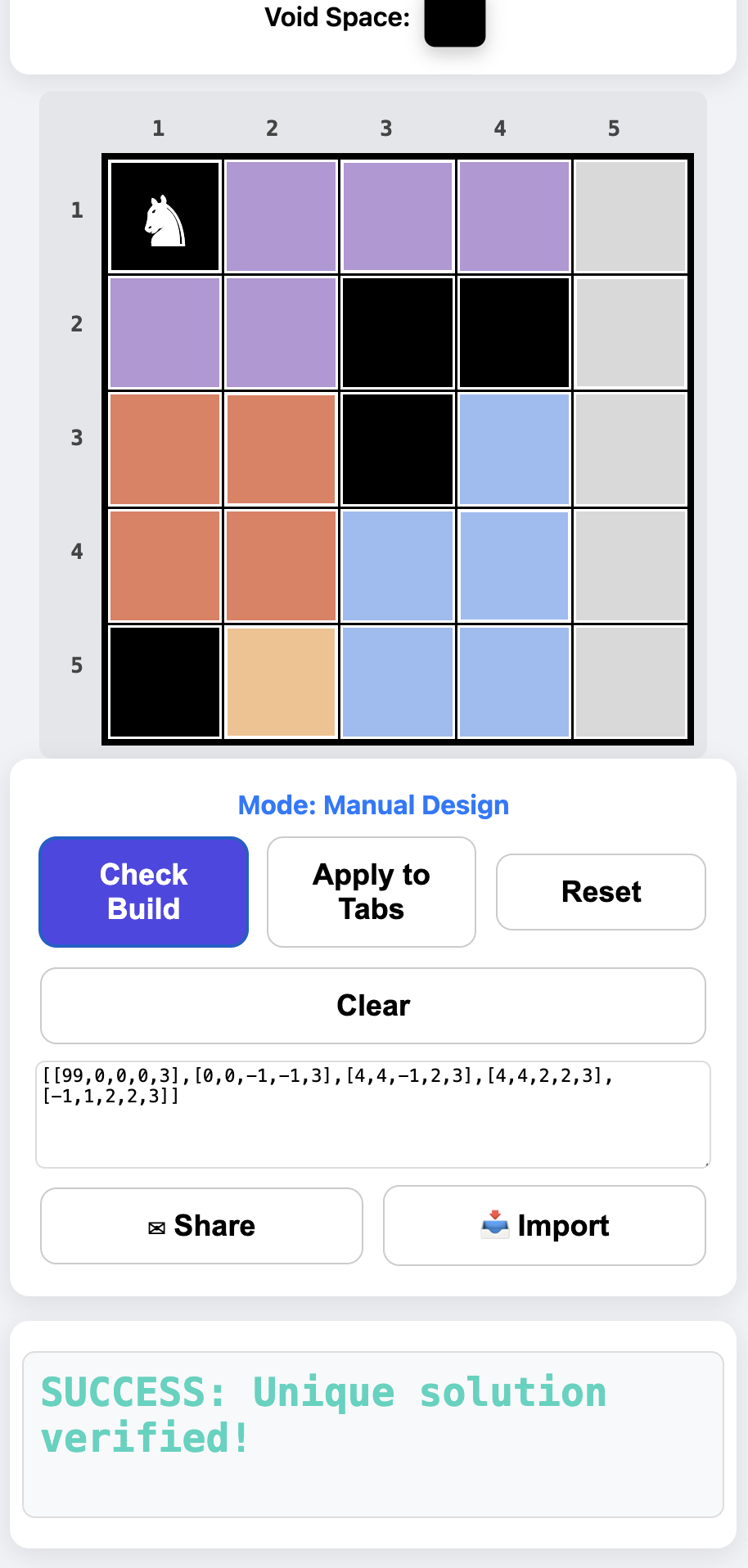
- Success: Once you get the “Success: Unique solution verified!” message, you can click on the Apply To Tabs button and play.
3. Edit Mode (Painting)
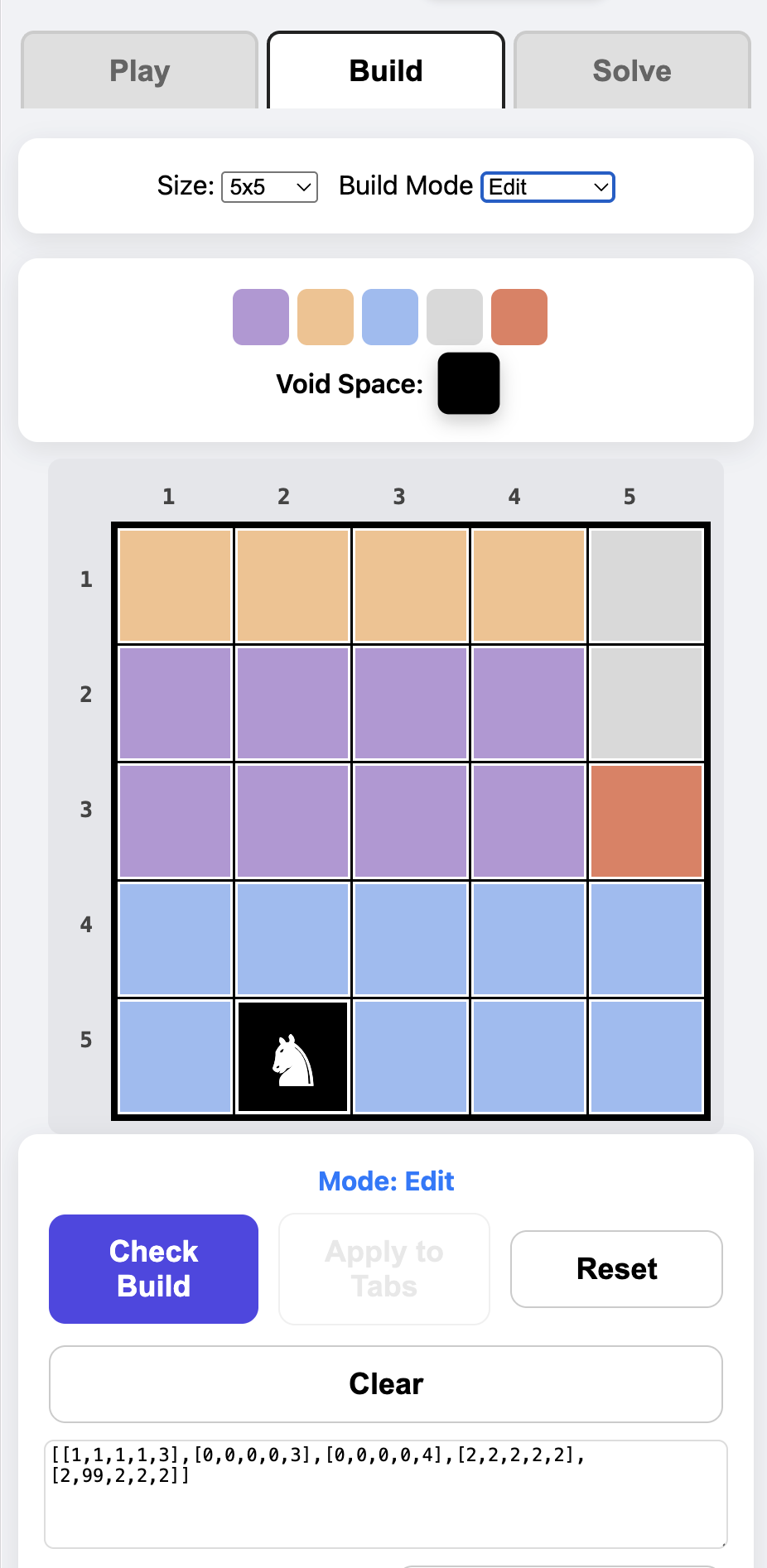
- Switch the dropdown to Edit.
- Select a colour from the dynamic palette (or select the Black “Void” space).
- Tap or drag your finger/mouse across the grid to paint custom regions.
- Click Check Build to ensure your custom paint job still only yields one unique solution.
- Note: Like in the Manual mode, this can be an iterative process.
✉️ Sharing Challenges
Once you have a verified board, challenge your friends instantly—no accounts or databases required:
- The Share Button: On mobile, this opens your native sharing sheet. On desktop, it copies a unique URL to your clipboard. The link contains the entire board state encoded right into the web address!
- Manual Text Import: You can also use the 📥 Import button copy or edit the text in the Output window. Copy the JSON array block (e.g.,
[[1,1,1,1,3],[0,0,0,0,3],[0,0,0,0,4],[2,2,2,2,2],[2,99,2,2,2]]) from the text box and send it to a friend. They can paste it into their own Build tab and click the 📥 Import button.
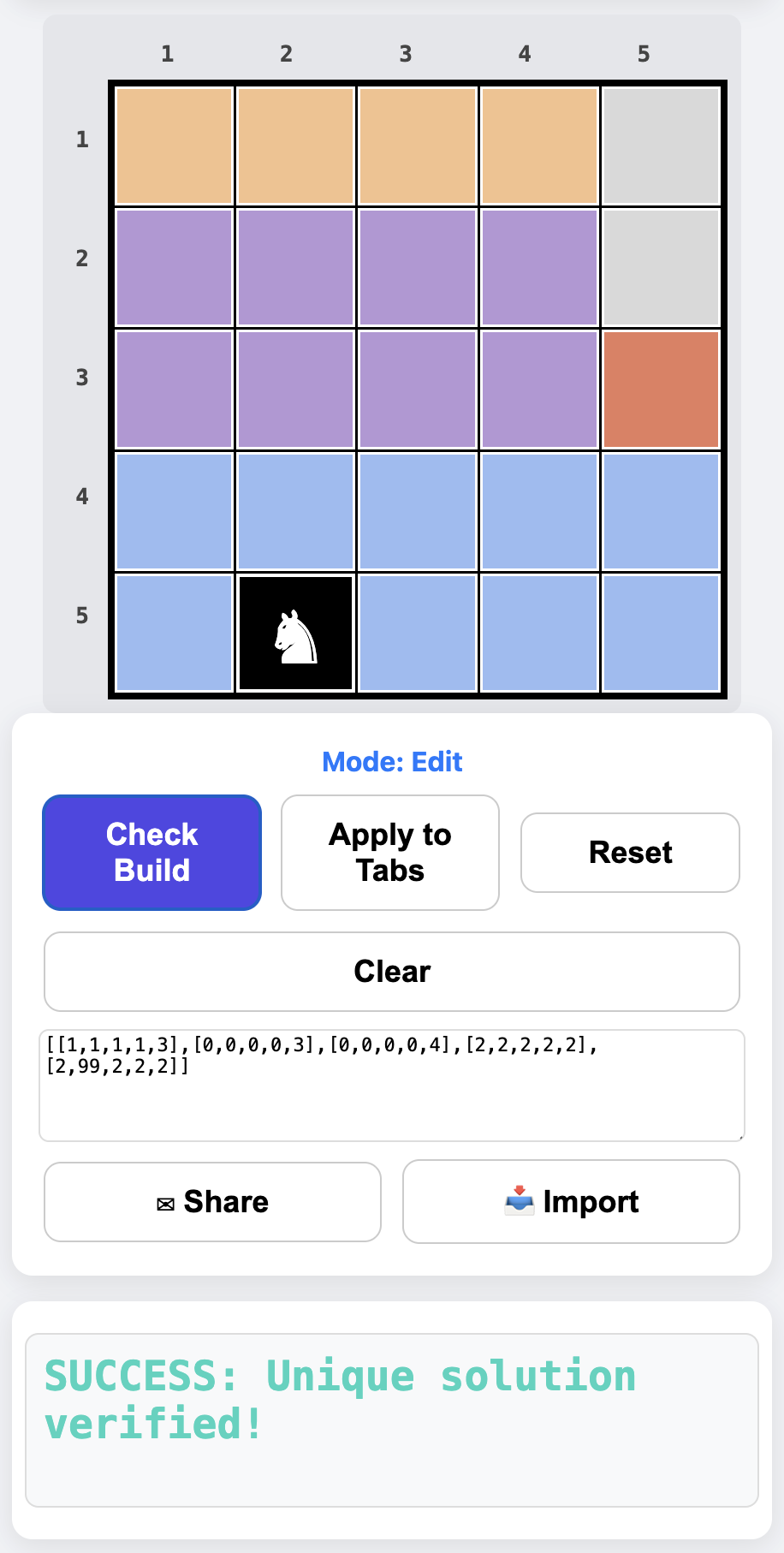
You’ll need to click the Check Build and Apply To Tabs to use your new board.
💡 The Solve Tab: Watch and Learn
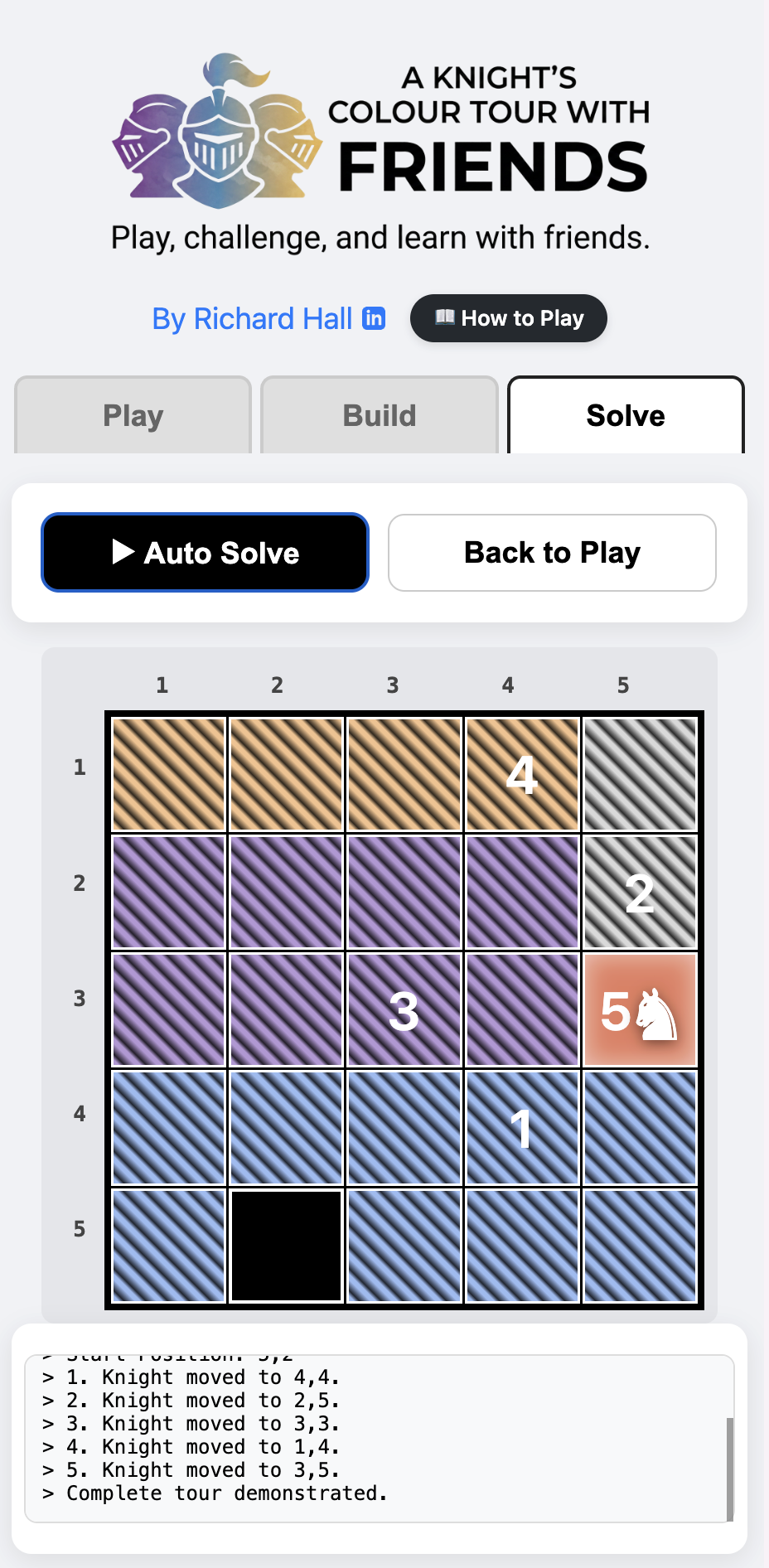
Stuck on a puzzle a friend sent you? Let the engine do the heavy lifting.
- Ensure the board is loaded.
- Navigate to the Solve tab and click ▶ Auto Solve.
- Sit back and watch as the algorithmic solver animates the correct Knight’s Tour step-by-step, logging every coordinate along the way.
🎯 Core Features
I built this game to be as frictionless as possible. No logins, no databases, just pure logic puzzles:
- Instant Sharing: Custom board layouts are encoded directly into the URL. Copy the link, send it to a friend, and they can play immediately.
- Custom Level Builder: A drag-to-paint UI lets anyone design their own grid, while the engine mathematically verifies if the board is solvable.
- Learn the Logic: The built-in solver doesn’t just give you the answer. It animates the exact path so players can understand the mechanics.
🛠️ Technical Implementation
- Zero-Server P2P State: Board layouts are stored entirely in Base64 URL Encoding using the Web Share API.
- Algorithmic Validation: Features a recursive backtracking engine that probes the grid for multi-solution conflicts (
findAllSolutions). - Unified Pointer API: Uses native
elementFromPointand pointer capture release to allow smooth, lag-free drag-to-paint functionality across both mobile touchscreens and desktop mice. - Vanilla Architecture: 100% Vanilla JS, HTML, and CSS contained in a single file for maximum portability and educational transparency.
| Built by Richard Hall | MIT License |